Interactive Darts HUB
More fun - more sales
Interactive darts system with turnkey implementation.
Interactive Darts Hub
Interactive Darts HUB is an interactive darts system made in Finland with versatile features. It is ideal for bars, restaurants and gaming venues.
Darts is a social pastime and it brings people together to compete and have fun. Interactive Darts HUB’s diverse games, automatic scoring, guiding features and difficulty level adjustment take the game of darts to a new level.
From a company’s perspective, an enjoyable customer also generates sales.
Features
In addition to various games and
automatic scoring, the Interactive Darts Hub’s features include game control and, among other things, adjustment of the difficulty level.
The package includes gaming hardware, games and an online management system that manages the location daily.
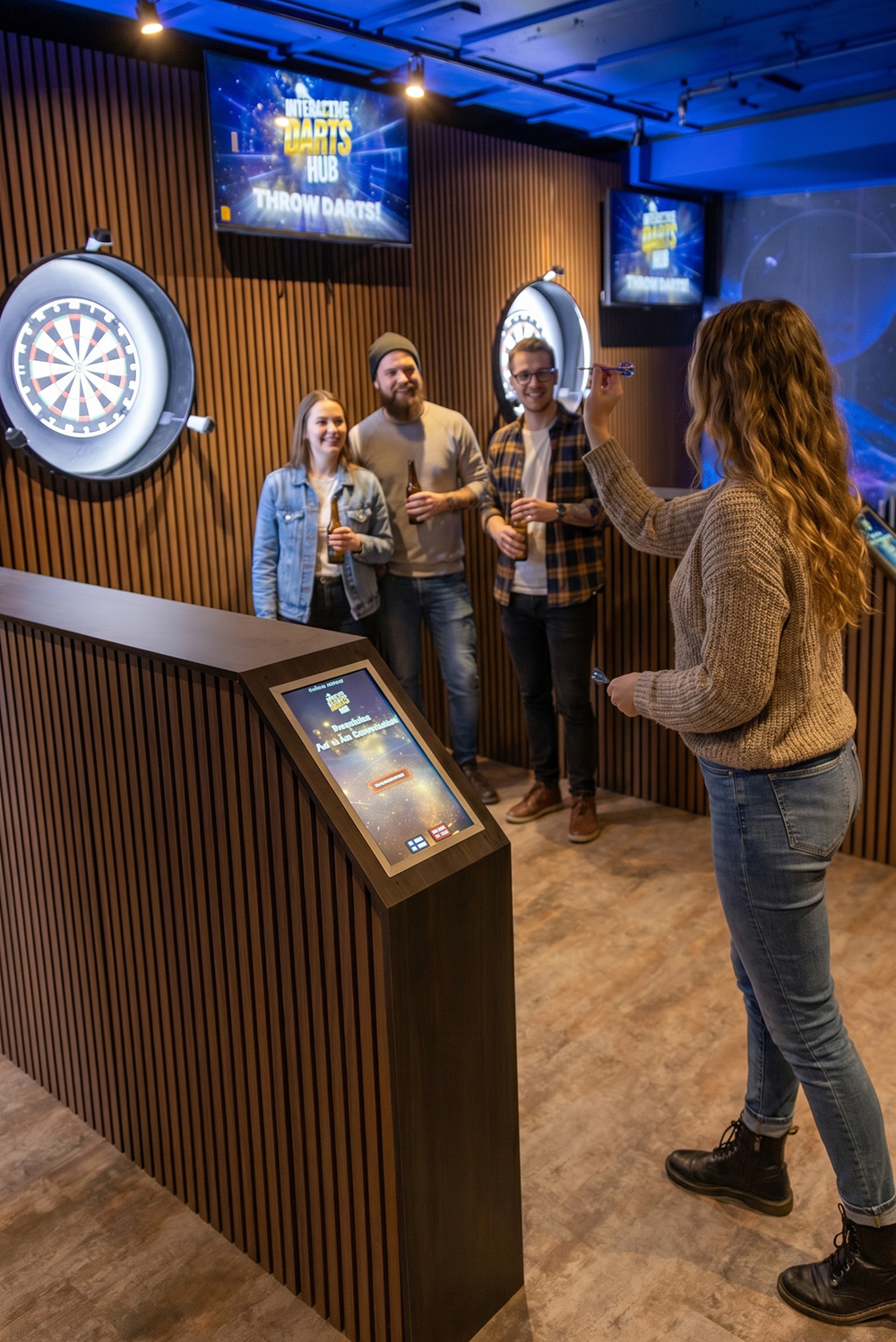
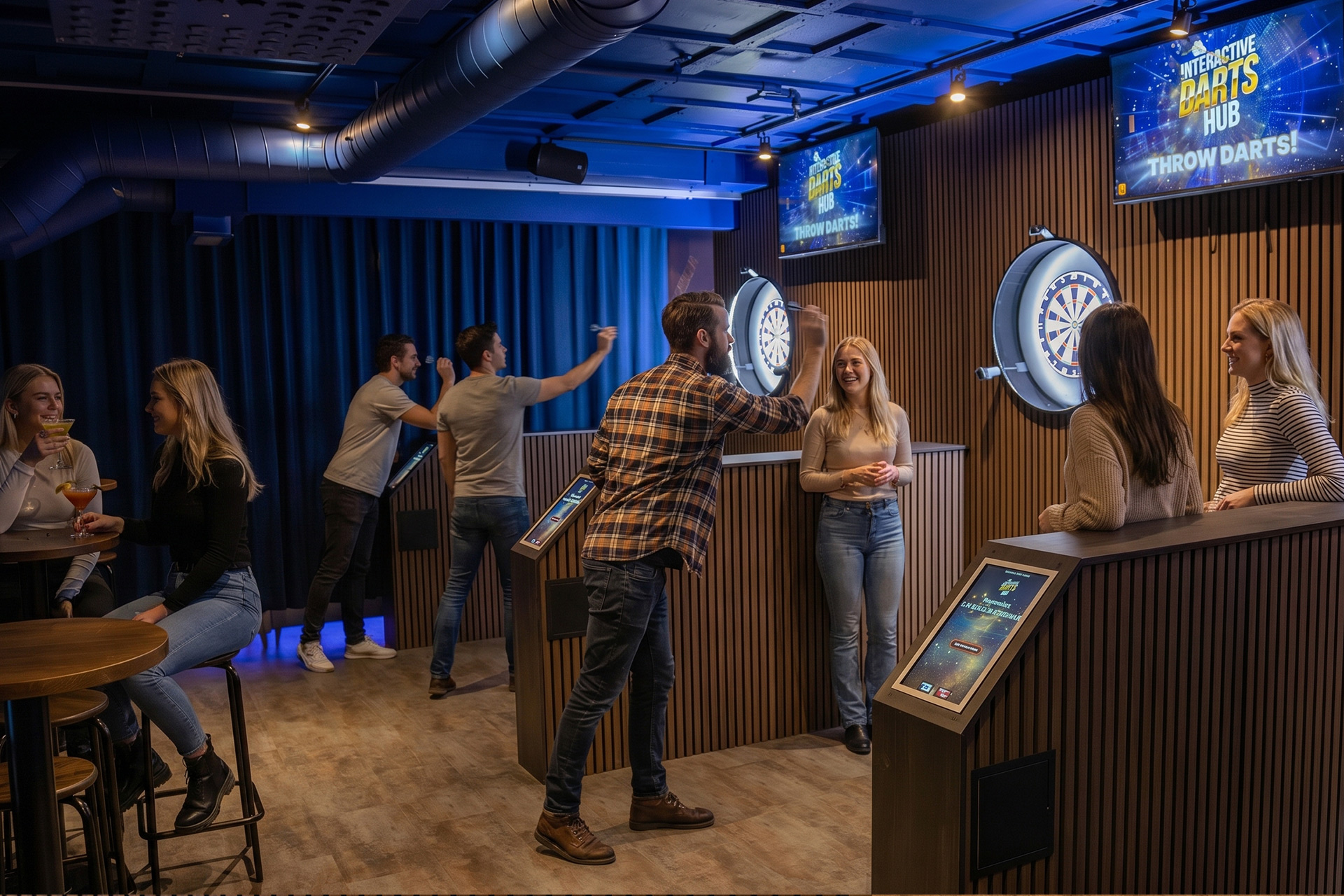
The customer selects a game on the touch screen and throws their own or the house’s darts at a real target. Perimeter cameras automatically read every dart, the scores are displayed on the TV screen, the system controls the game and everything played is logged in the management system.
Games
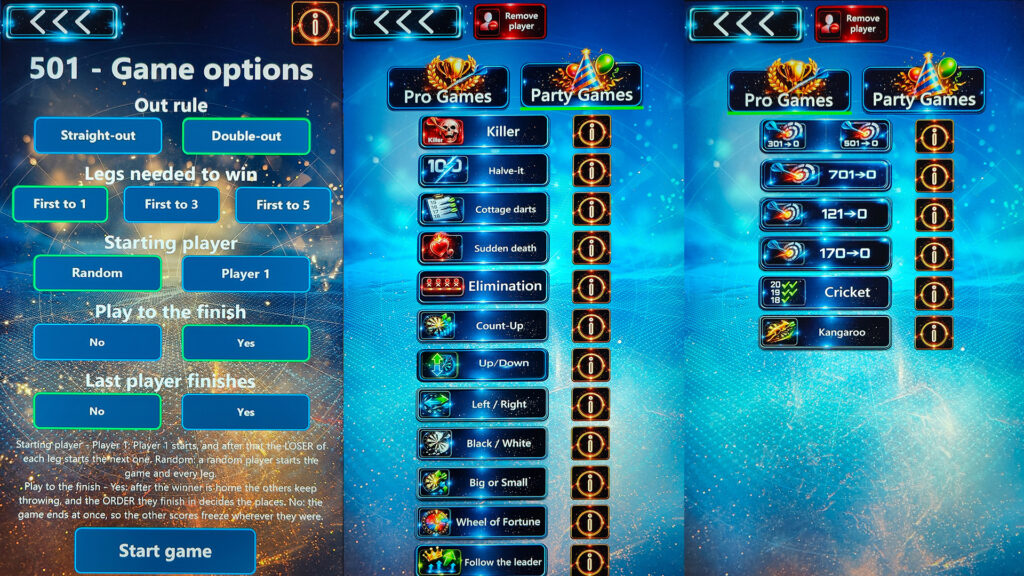
The system has 14 different games. In addition to these, the classic X01 can be selected with five different starting points, so the player has a total of 19 game options to choose from. Each game has instructions in Finnish, which can be opened from the touch screen and also on the phone with a QR code.
The game selection covers both serious point games and easy party games that even a first-time player can handle. So the same board serves both competitive customers and stag and hen parties.
WIDE GAME RANGE
· X01 with five starting points
· 301 and 501 – classic lengths
· 701 – longer game
· 121 and 170 – short, fast games
Choose the ending rule (straight or double ending)
and the number of sets required to win.
OTHER GAMES
· Killer
· Follow the leader
· Halve-It
· Basic Darts
· Sudden death
· Cricket
· Rapid death
· Count-up 1-9
· Up / Down
· Left / Right
· Black / White
· Big or Small
· Wheel of Fortune
· Kangaroo
Assembly
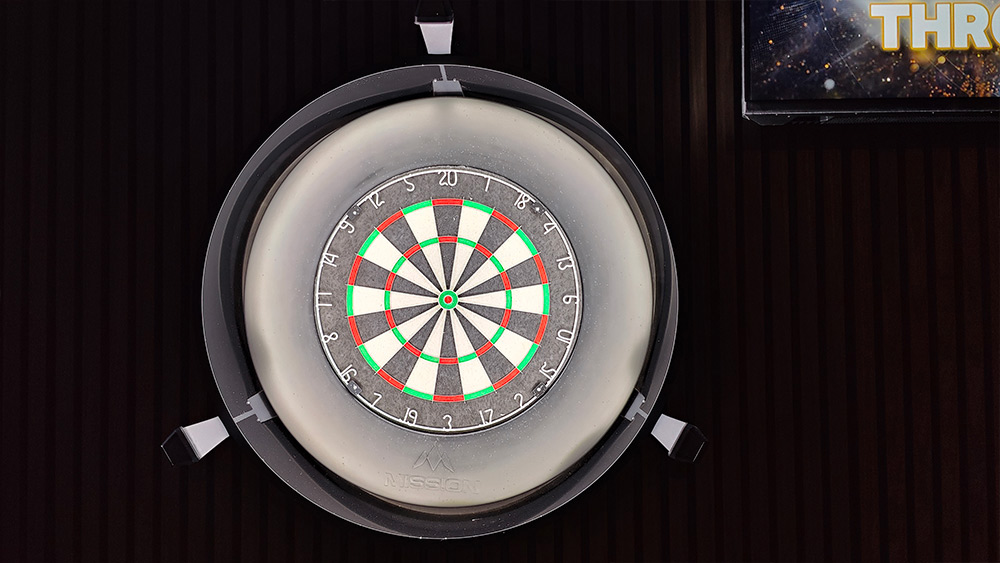
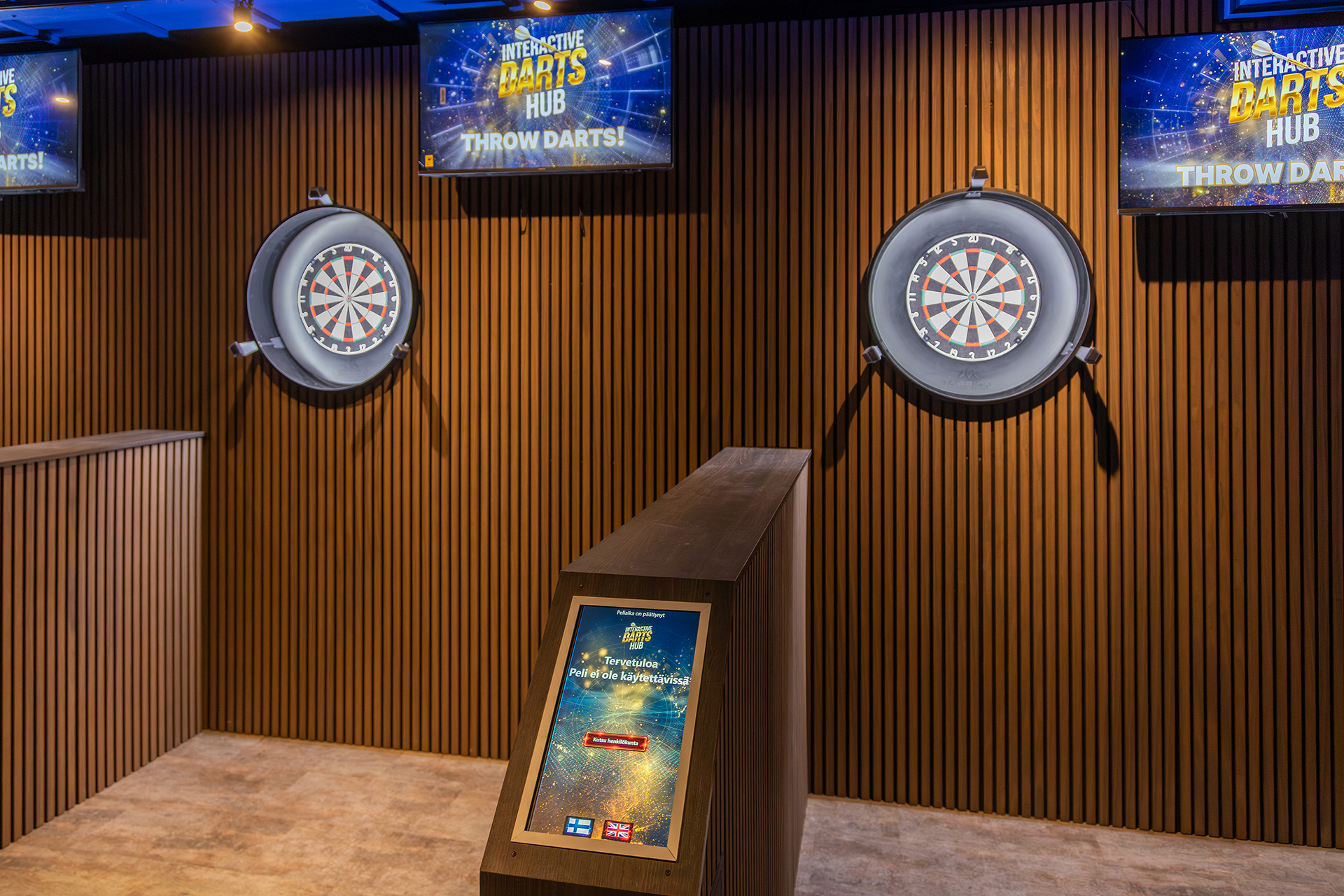
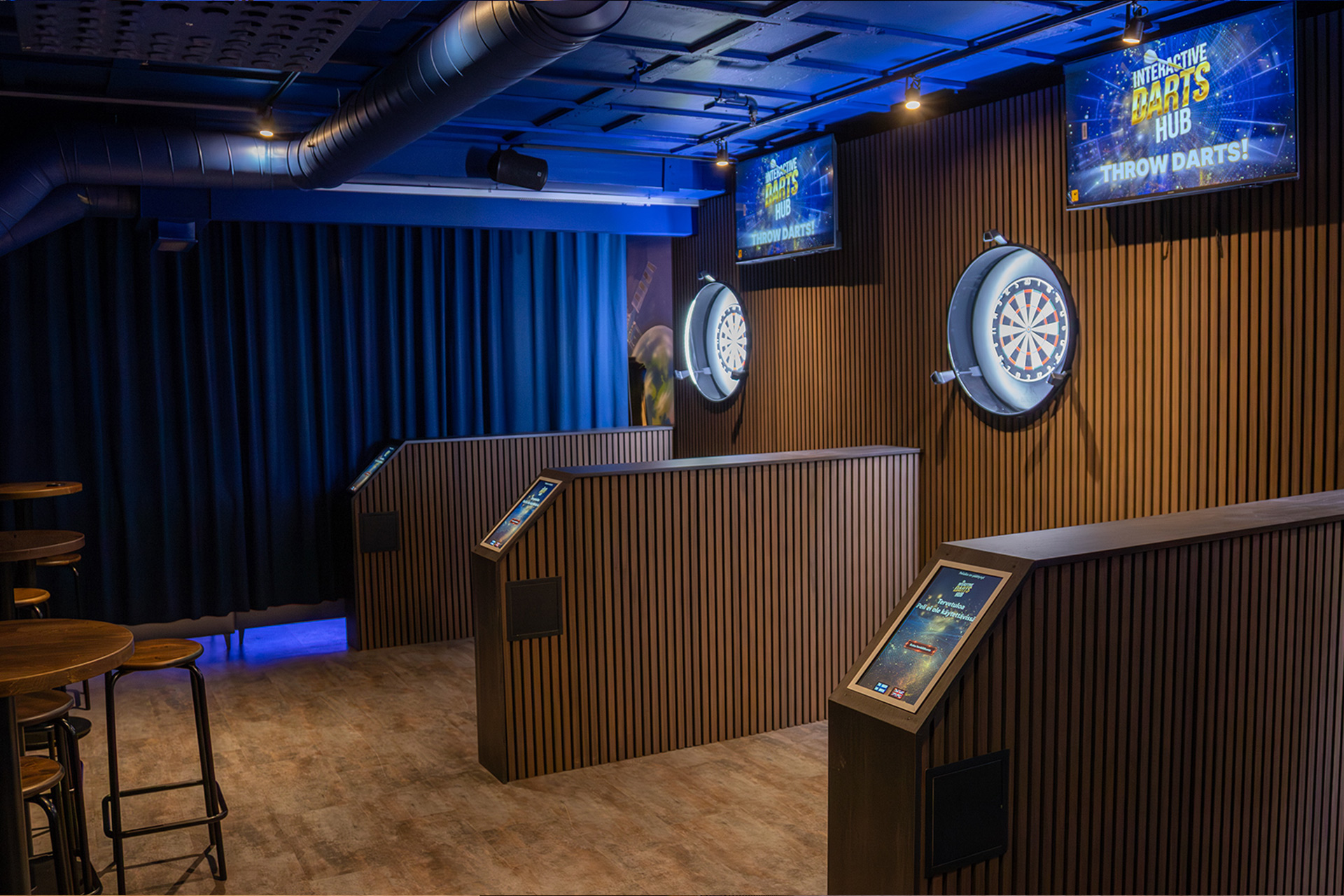
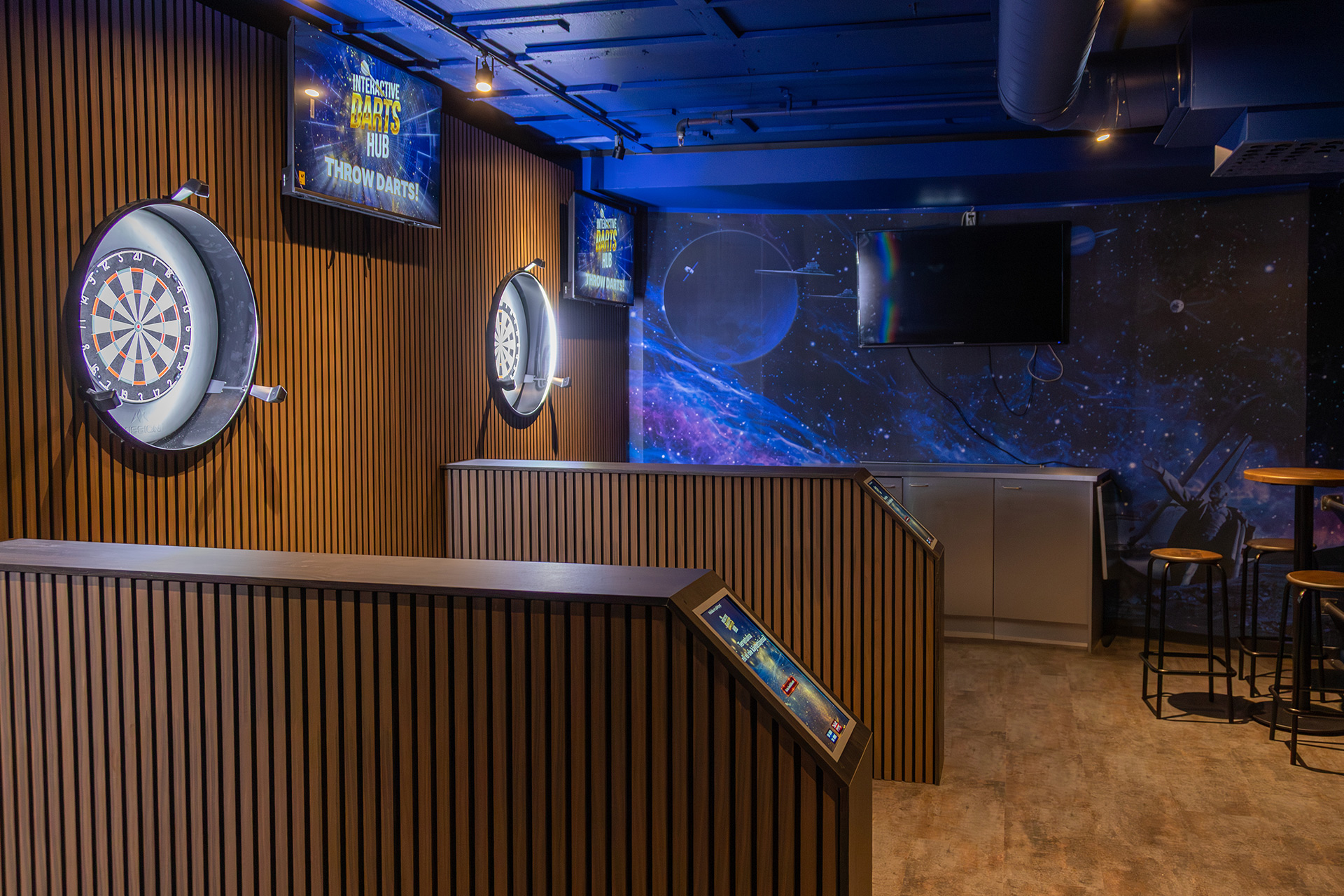
Interactive Darts consists of a computer, camera frame, real dartboard, television and a touchscreen integrated into the platform included in the package. The platform and back wall are stylishly paneled with the desired panel and look.
SPACE REQUIRED FOR INSTALLATION
The space required for the shooting range is determined by the desired number of players and the width of the shooting range: 150-300 cm (width) and 400 cm (depth).
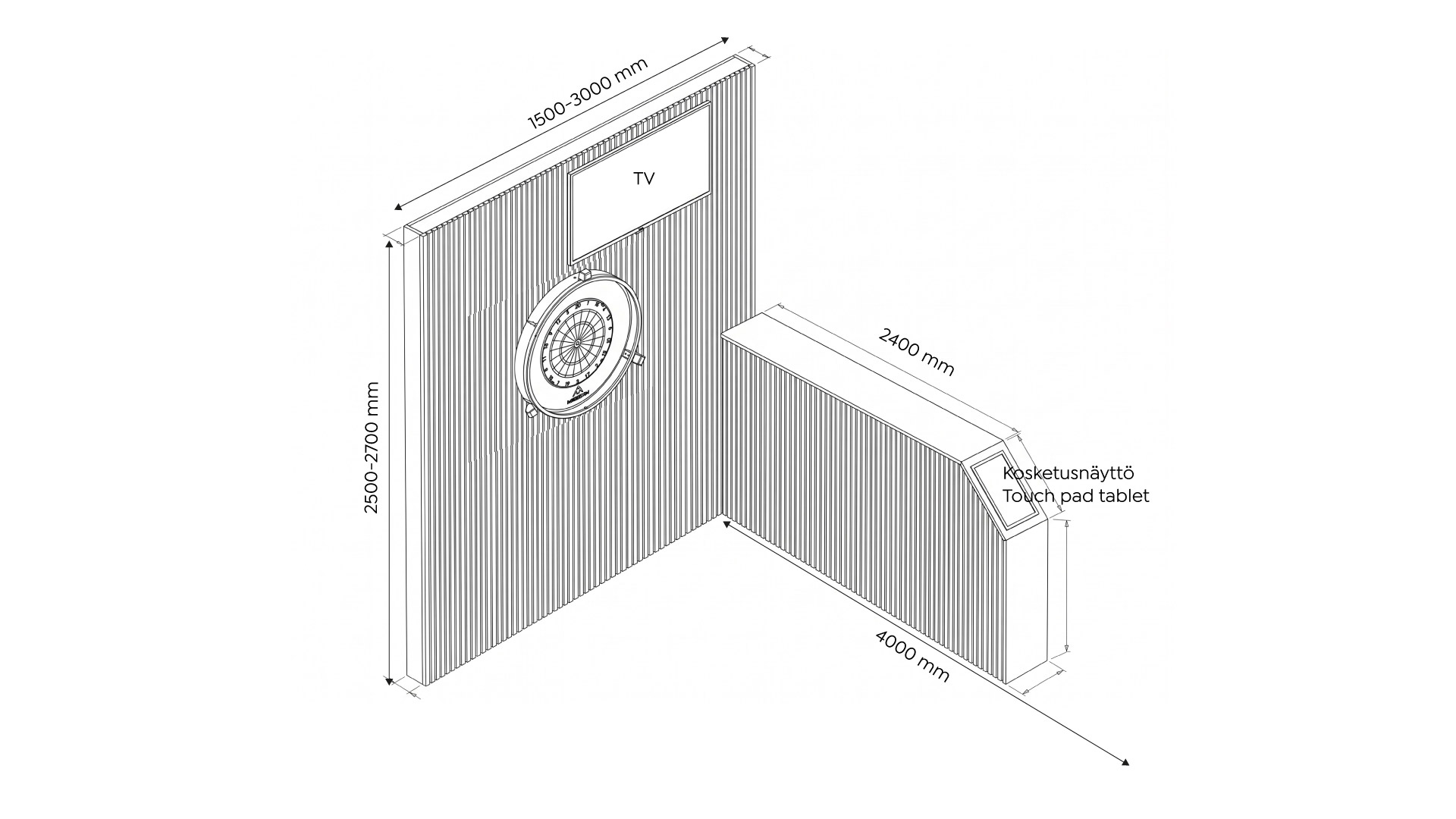
WHAT IS INSTALLED AT A LOCATION
A location is a facility that contains one or more playing areas. A playing area means a single board with a television and a touch screen.
Each playing area is an independent entity and the presented parts belong to each playing area. There are several options for paneling the throwing area and the paneling can be implemented with the desired material and colors.

GRAPHICAL USER INTERFACE
The graphical user interface (TV, touch screen) can be selected from three different color options.

CONTROL MACHINE
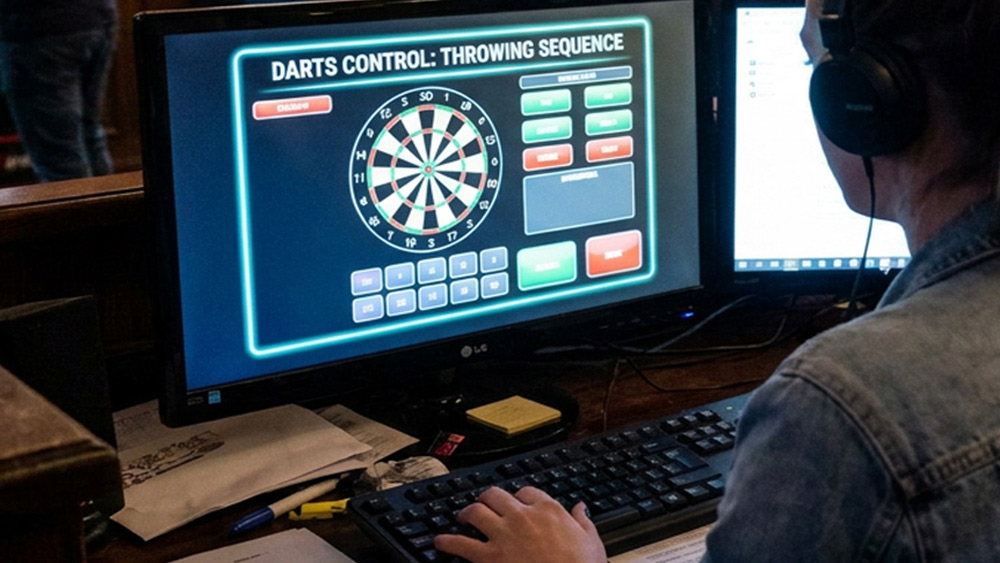
In addition to the gaming locations, each location has one control room computer. It is the location’s central computer: software that runs the rules of all games, controls the gaming locations and transfers data to the management system. The control room computer software is installed on the company’s own PC. A good internet connection is also required (fiber optic connection is recommended).
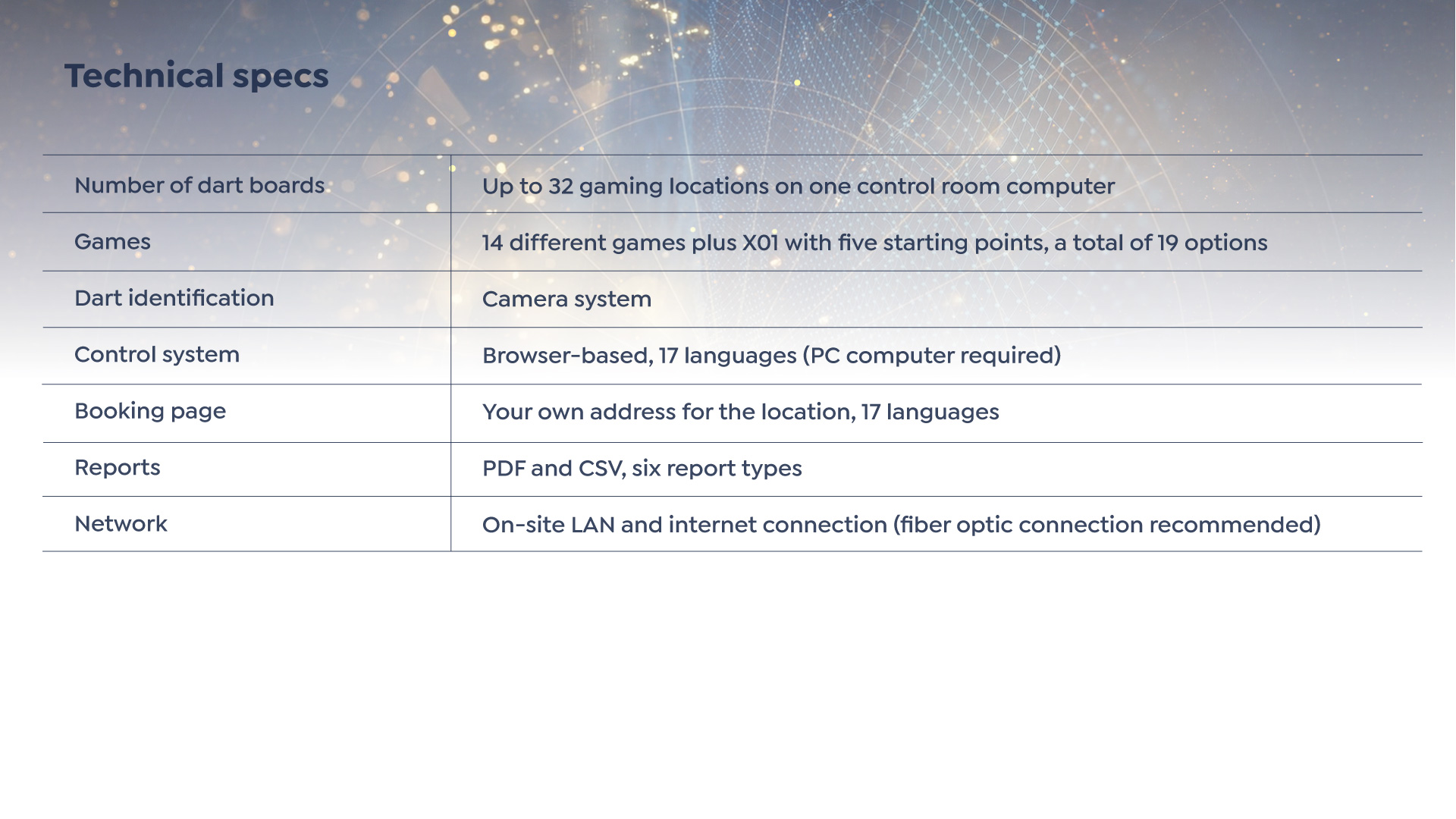
One control room computer manages up to 32 gaming locations, so the same system is suitable for both a location with a few gaming locations and a large center.
The control room computer is also a daily tool for the staff. It is used to start and continue the game time and monitor the status of the gaming locations. The staff can see what is happening at each gaming location on one screen.
Multiple paneling options
Control system
Each location has its own password-protected view online. It works with a browser, so it can be used from the office computer, tablet or phone. The system is available in 17 languages.
Dashboard
The home page shows the current situation at a glance: the number of tables, whether the location is online, the number of games per day and month and the time of the game, the latest games and the day’s reservations.
Online booking and your own booking page
The location gets its own booking page on the internet, and you can choose the rest of the address yourself. The address can be shared with customers or added to your own website. The customer chooses the day, time and table, fills in their contact information and receives a confirmation via email.
The location’s own logo and background image can be added to the booking page.
Bookings are visible to staff immediately, and staff can also record bookings made by phone in the same view. Booking details open with one click: contact information, number of players, possible company and the customer’s own message.
Opening hours and special days
Each day of the week has its own opening hours, and the day can be marked as completely closed with a single button.
Public holidays and other special days are added separately as individual days or periods, so there is no need to change the usual opening hours.
You can also give a special day different opening hours, for example, on New Year’s Eve only open from 12-16.
You can reserve a cleaning time for the end of the last reservation, so that the place is empty before closing.
Table-specific control
You can hide an individual table from the reservation page, preserving its history. This is practical, for example, during maintenance or if a table is not suitable for reservation.
The system also ensures that a table in play cannot be reserved on top of another, and warns staff if a game is about to start on a table that already has a reservation.
Backboard monitoring and condition
Each board displays the game time, number of games and players, and revenue for the selected period.
Throw statistics show the total number of throws and how many throws missed or went outside the board.
The board wear indicator counts hits and shows the condition of the board. When the limit is approaching, the system recommends replacing the board; after replacement, the counter is reset and the replacement is recorded in history.
The wear limit can be adjusted per location. The board wear indicator is for information purposes only. It does not limit the operation of the system.
Customer service tracking
When a customer calls staff from the touchscreen, the system measures how long it took to answer the call. The view shows the number of calls, the average response time and which calls were not handled. Calls outside of opening hours are separated into their own group.
Pricing
The price is set per player and separately for each day of the week, so weekday and weekend prices may differ. You can choose a minute, half an hour or an hour as the pricing unit. You can choose the currency.
Reports
Reports are available in PDF and CSV format for the selected period and, if desired, only for selected tables. Report types:
· Revenue report
· Player report
· Game report
· Session report
· Reservation report
· Customer service report
The language of the report can be selected separately, which is practical for accounting or the parent company, for example.
Users and communication
The location manages its own user accounts.
The Notifications view displays system bulletins and maintenance notifications.
From the Feedback view, the location can send feedback and development suggestions directly to system maintenance.
Specs
Photos
Contact
sales@interactivedarts.fi
The service is currently available in Finland, the Nordic countries, and the Baltic countries.